TL;DR: we do all this and more in our app, for free. Try without an account → or Skip to the tool ↓
How to flatten a Z-stack into one sharp image

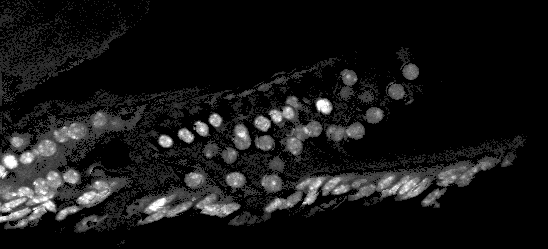
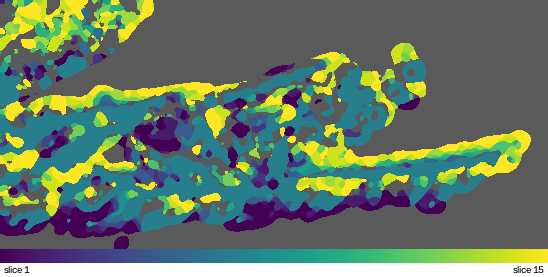
Depending on the sample you are imaging, whether it is a thick tissue section or an organoid, chances are it is not flat. It then follows that whatever microscope you use will only keep one region of that sample in focus at a time, while the rest is blurred.
The typical answer is Z-stacking. A series of images of the same field is taken at different focal planes. Between them, every part of the sample is in focus somewhere. It is just spread across the slices.
Flattening combines those slices into one 2D image.
Why it matters
- Most analysis expects 2D. Segmentation, counting and morphology measurements are simpler and faster on one image than on a volume.
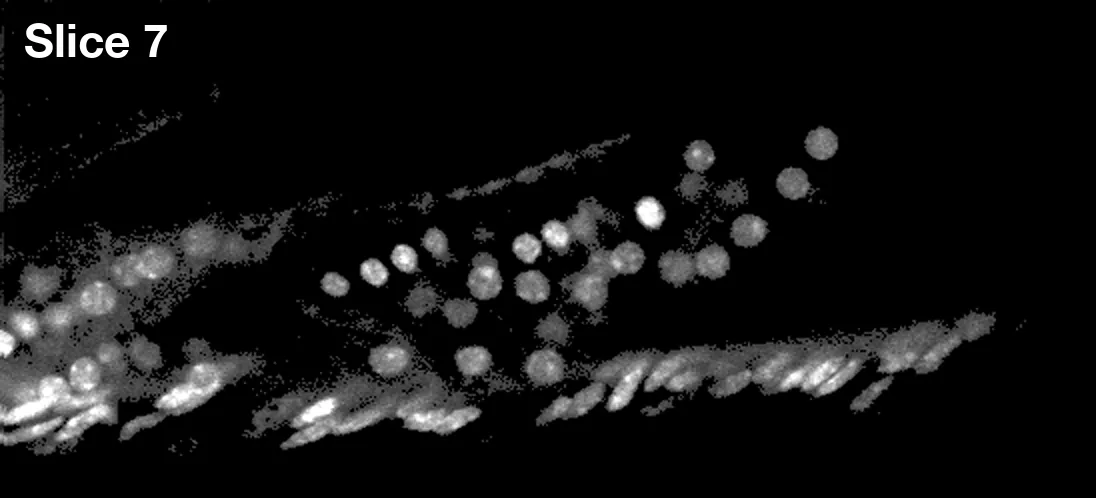
- A single slice can be misleading. Manually selecting the "best" slice in the stack in terms of resolution means you lose some resolution where some features are slightly above or below that plane.
- Everything downstream depends on it. A hazy projection gives hazy segmentation.
The usual techniques and their limits
| Technique | How it works | Where it works best | Limitations |
|---|---|---|---|
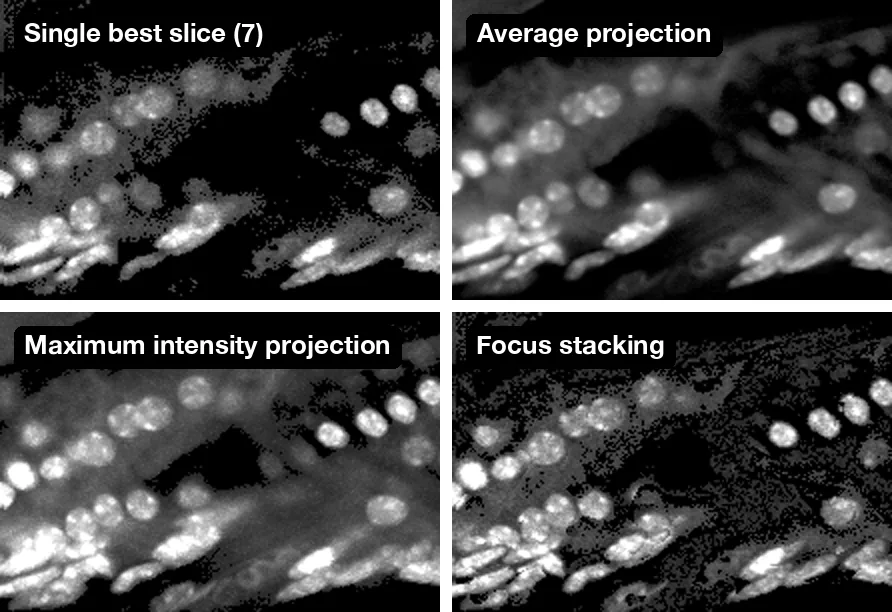
| Maximum intensity projection | Keeps each pixel's brightest value across slices | Fluorescence work where measuring signal is key | Brightness is not focus, so bright pixels win over ones that are in focus. In brightfield this often gives a poor result, as in-focus details can appear darker than out-of-focus ones |
| Average or sum projection | Averages or adds every slice | Fluorescence work where you want the total signal through the full depth of the sample | Blurred slices are mixed in with sharp ones, so fine detail and contrast wash out |
| Single best slice | Keeps the one slice that is sharpest overall | Largely flat samples, where everything sits close to one plane | Anything slightly above or below that plane loses resolution |
| Deconvolution | Uses a model of the optics to put blurred light back where it came from | Fluorescence stacks where the optics are well characterised and you need the full 3D volume | Needs an accurate point spread function, careful settings and a lot of compute. Wrong settings add artefacts |
| Focus stacking (our preferred method) | Measures local sharpness and keeps the sharpest slice at each point | Viewing, segmentation and surface shape, on uneven and thick samples | Keeps one depth per pixel, so it does not suit intensity measurement or full 3D work |
Why we prefer focus stacking
Focus stacking, also called extended depth of field, finds where each point of the sample is in focus and keeps it.
- It selects on sharpness, not brightness.
- It decides pixel by pixel, so uneven and thick samples come out sharp across the whole field.
- It keeps real pixels. Every pixel in the result comes from one of your own slices. Nothing is modelled or reconstructed; the images are only contrast-stretched for display.
- It gives you a height map as a by-product. Knowing which slice was sharpest at each point tells you the shape of your sample.
It is a well-established method with decades of published work behind it.
What the tool in this post does
- It opens your file. ImageJ and OME-TIFF hyperstacks, plain multi-page TIFFs and colour TIFFs all open with their slices and channels in the right order. If the file records the spacing between slices, we use it.
- It works out what each channel is. A channel with a bright background is treated as brightfield; one that is mostly dark with bright signal is treated as fluorescence. Fluorescence channels are shown in the colours your file uses, or in ImageJ's default colours if it stores none, so the result looks like what you see in ImageJ or Fiji.
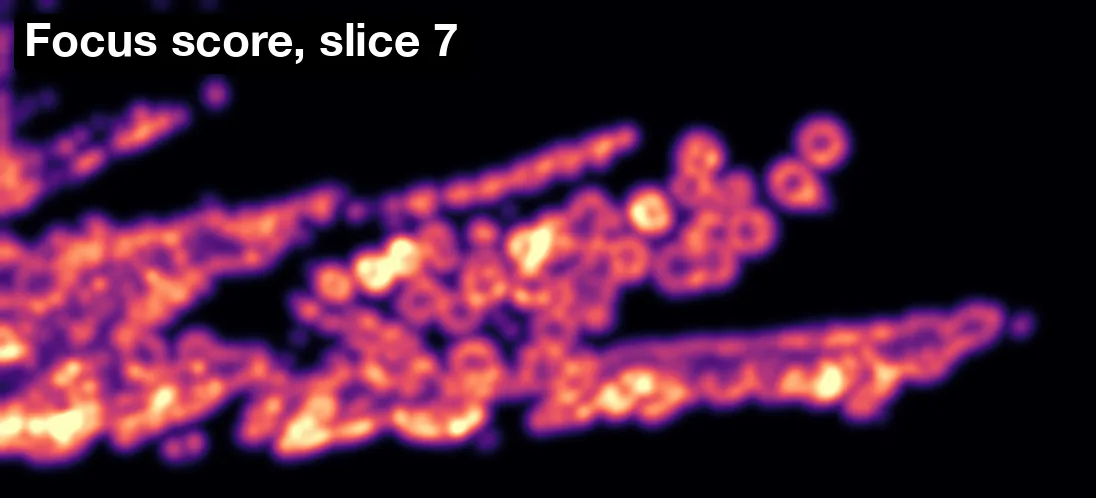
- It scores sharpness at every pixel of every slice. We use a Laplacian filter, an edge detector that responds strongly to in-focus detail and weakly to blur. The response is averaged over a small neighbourhood to give a local focus score.
- It keeps the sharpest slice at each pixel. A light smoothing step then makes neighbouring pixels come from the same plane, which removes speckle at boundaries.
What you get back
- An all-in-focus image.
- A topography map. The record of which slice was chosen at each pixel is a height map of your sample, in micrometres when the file includes the slice spacing.
- A CSV of heights, with position, chosen slice, height and a focus confidence score for each block of pixels.
- A maximum intensity projection for fluorescence stacks, so you can compare against the view you already know.
Limits, stated plainly
- Heights are in slice numbers unless your file records the Z step.
- Depths are nominal. They are the stage step. A refractive index mismatch between the immersion medium and the sample can stretch or compress true depth.
- It needs texture or signal. Featureless regions are shown as "no signal".
- There is no drift correction. If the sample moved between slices, edges can double.
- Height resolution equals slice spacing. The map cannot resolve depth finer than the step between slices.
- File limits: 25 MB, 64 slices, 4096 pixels per side, 6 channels. Images larger than 2048 pixels are shown and downloaded at 2048 pixels on the longest side; the CSV always covers the full-resolution map.
Flatten a Z-stack now
Don't have images you can use? Try one of these samples. Download it, unzip it and upload the TIFF inside.
- Confocal Series: 2 channels, 25 slices, 8 MB
- Organ of Corti: 4 fluorescence channels, 15 slices, 16 MB. The file records 0.315 µm between slices, but its author gives 0.3 µm, so heights read about 5% high.
- Fly Brain: colour, 57 slices, 11 MB
For all this and more, you can try our app today for free.
Further reading
- S. K. Nayar and Y. Nakagawa, "Shape from Focus", IEEE Transactions on Pattern Analysis and Machine Intelligence, 1994.
- S. Pertuz, D. Puig and M. A. Garcia, "Analysis of focus measure operators for shape-from-focus", Pattern Recognition, 2013.